New to the realm? Welcome!
Your first steps
From your very first login to level 5, step by step, with pictures of the real game. No experience with muds needed: everything is a click away, and the command line is there if you like to type.
Create your hero
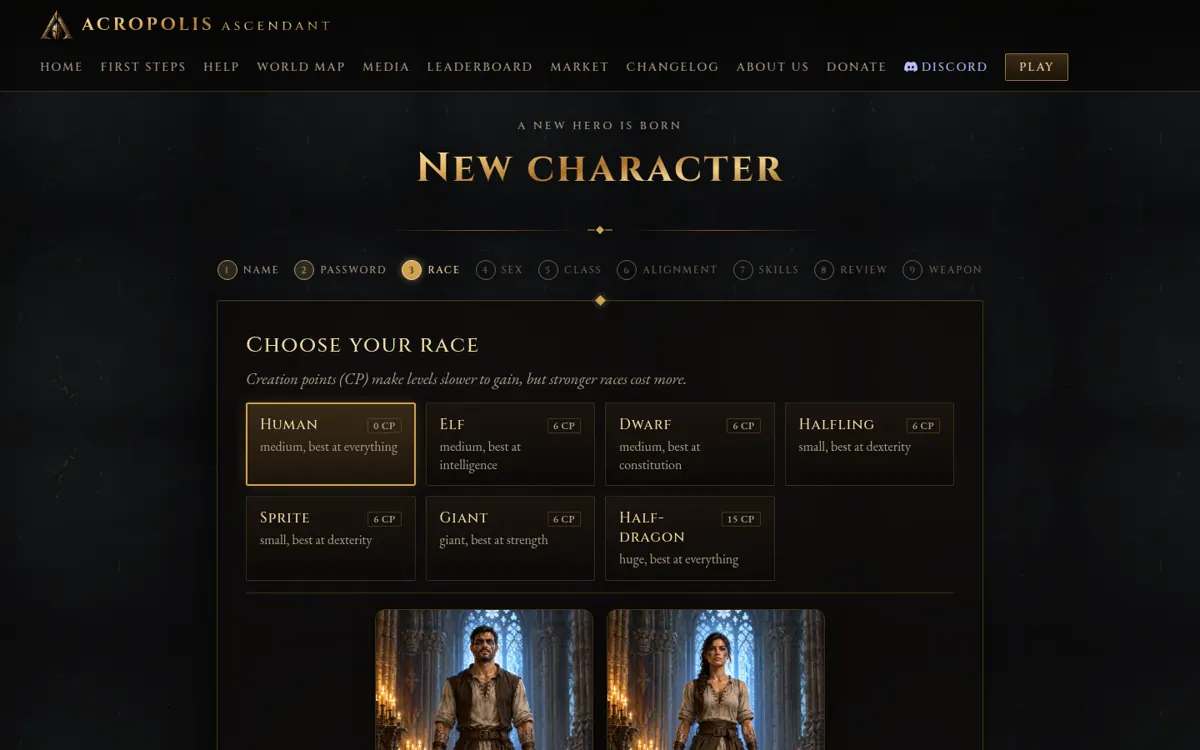
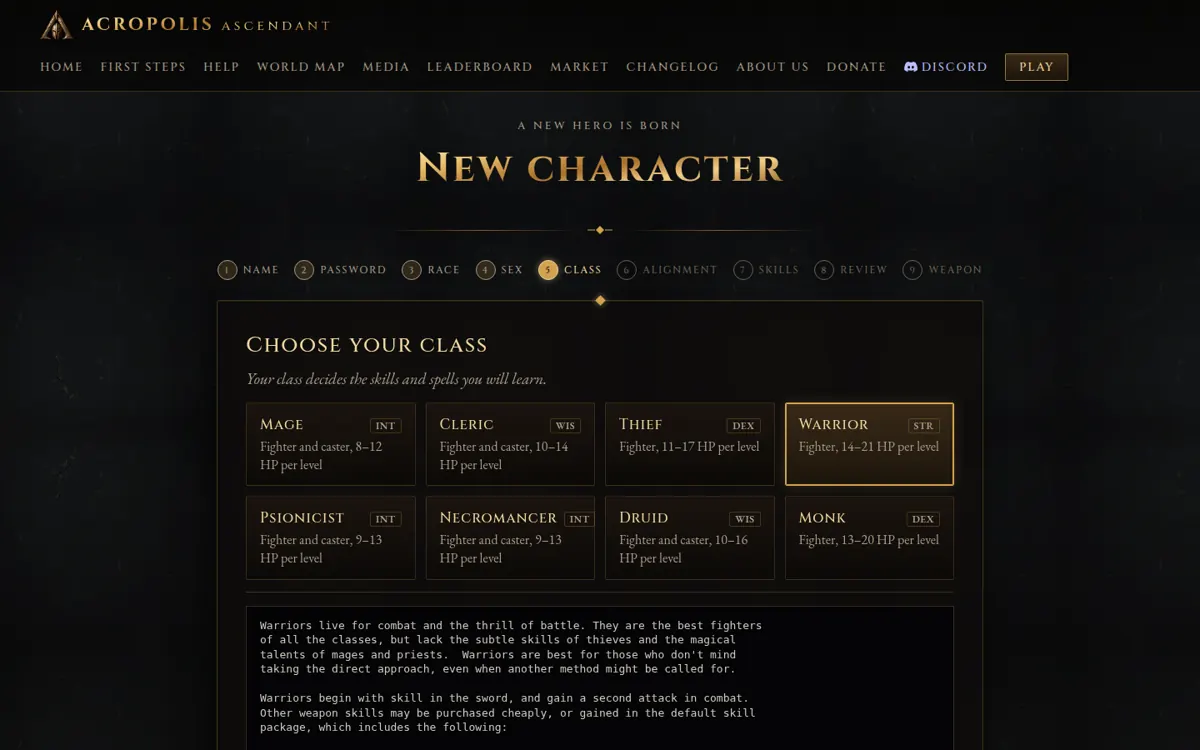
Click New character. The wizard asks, one page at a time: a name, a password, a race, your sex, a class, an alignment, your skills and a first weapon.
Never played before? Human Warrior, Default skills and a sword make a sturdy first hero. You can read every race and class before you choose.
Arrive at the Mud School
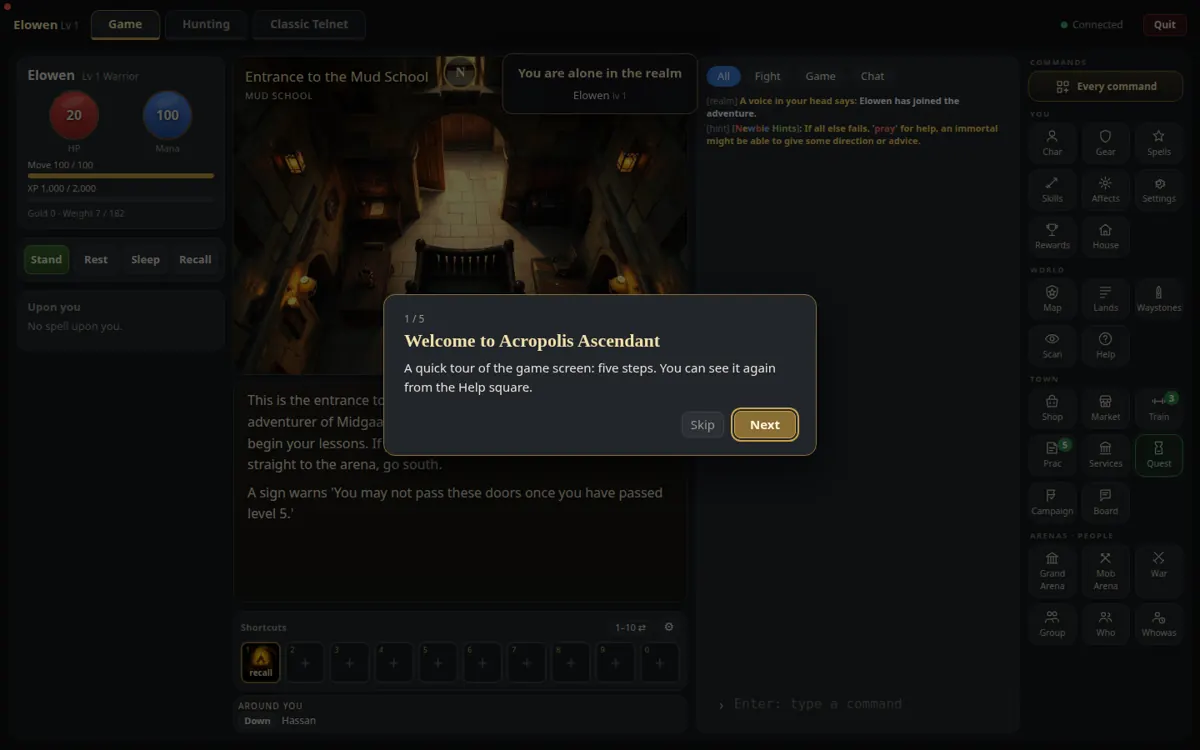
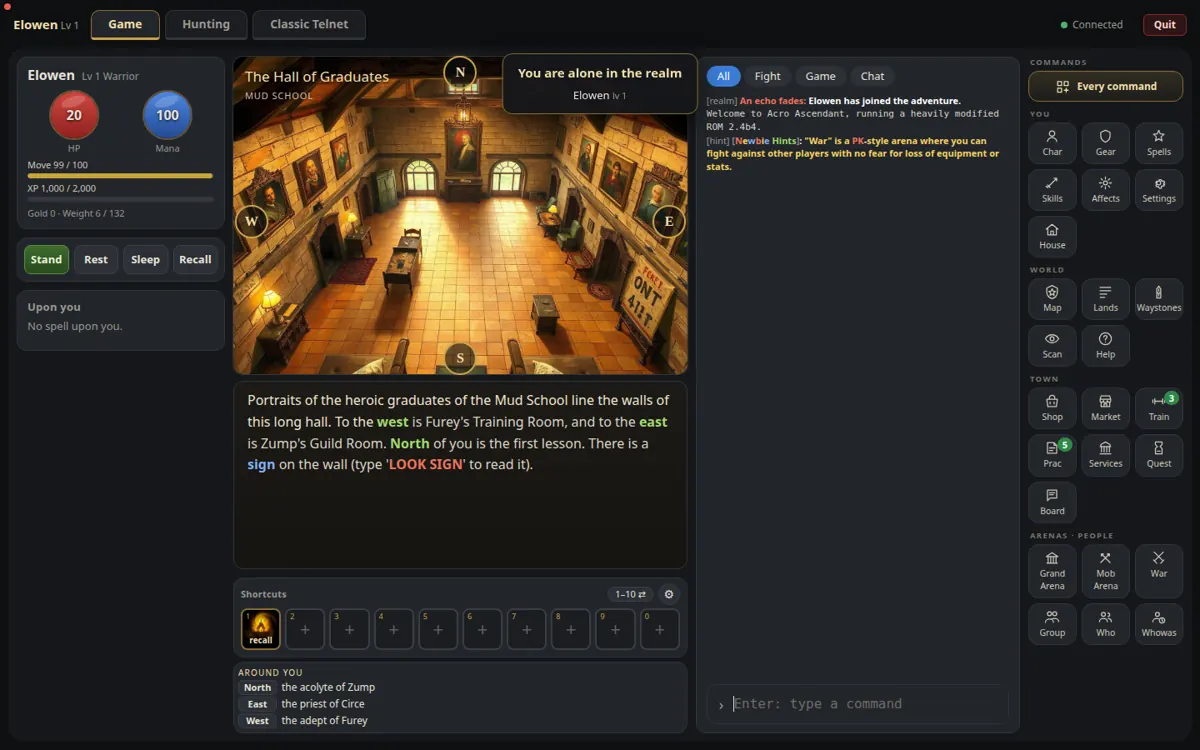
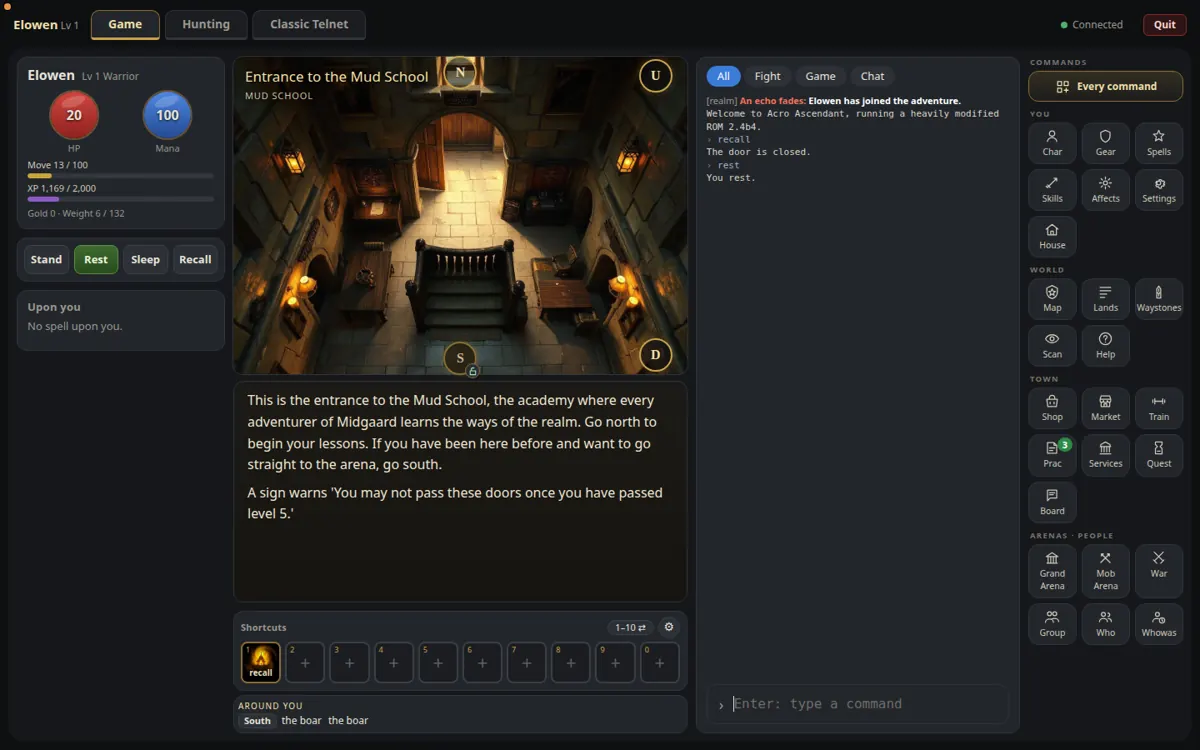
You open your eyes at the Entrance to the Mud School, the academy where every adventurer learns the ways of the realm. A short tour shows you the screen: click Next through it (or Skip; the Help square shows it again).
- On the left: your hit points (red), mana (blue), moves and experience.
- In the middle: the picture of the room, its description, your shortcuts.
- On the right: the messages, and the squares that open every window of the game.
Train and practise
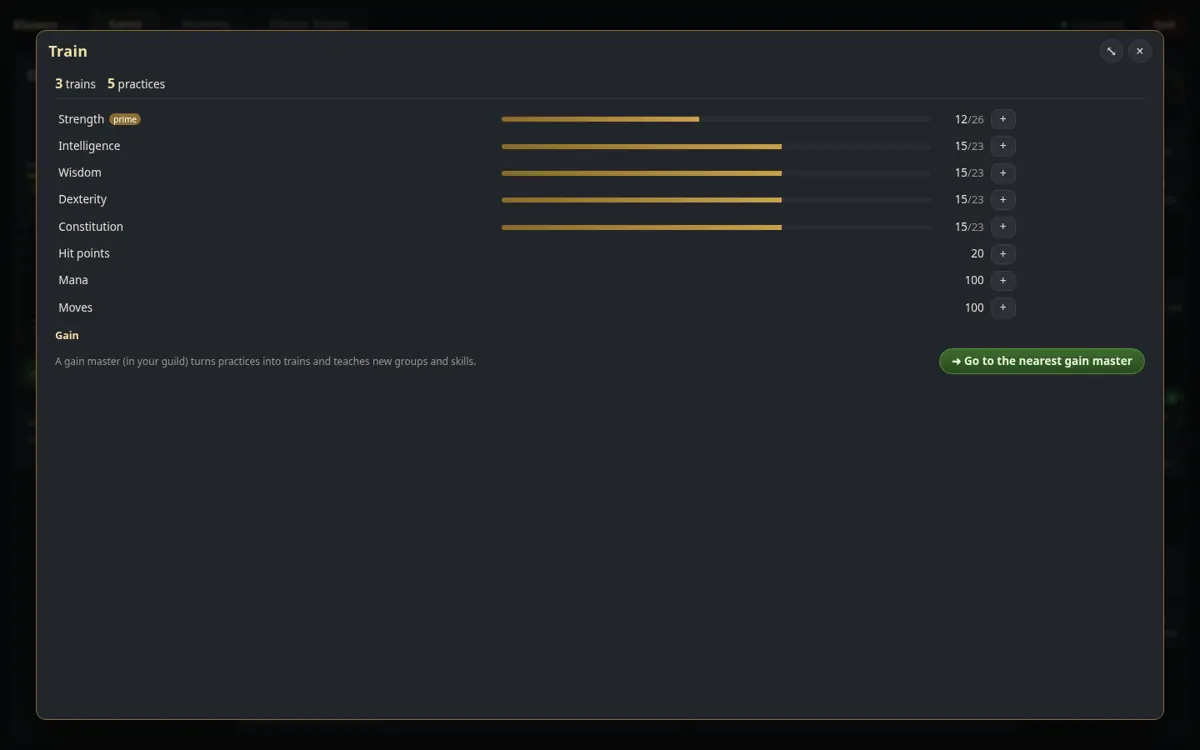
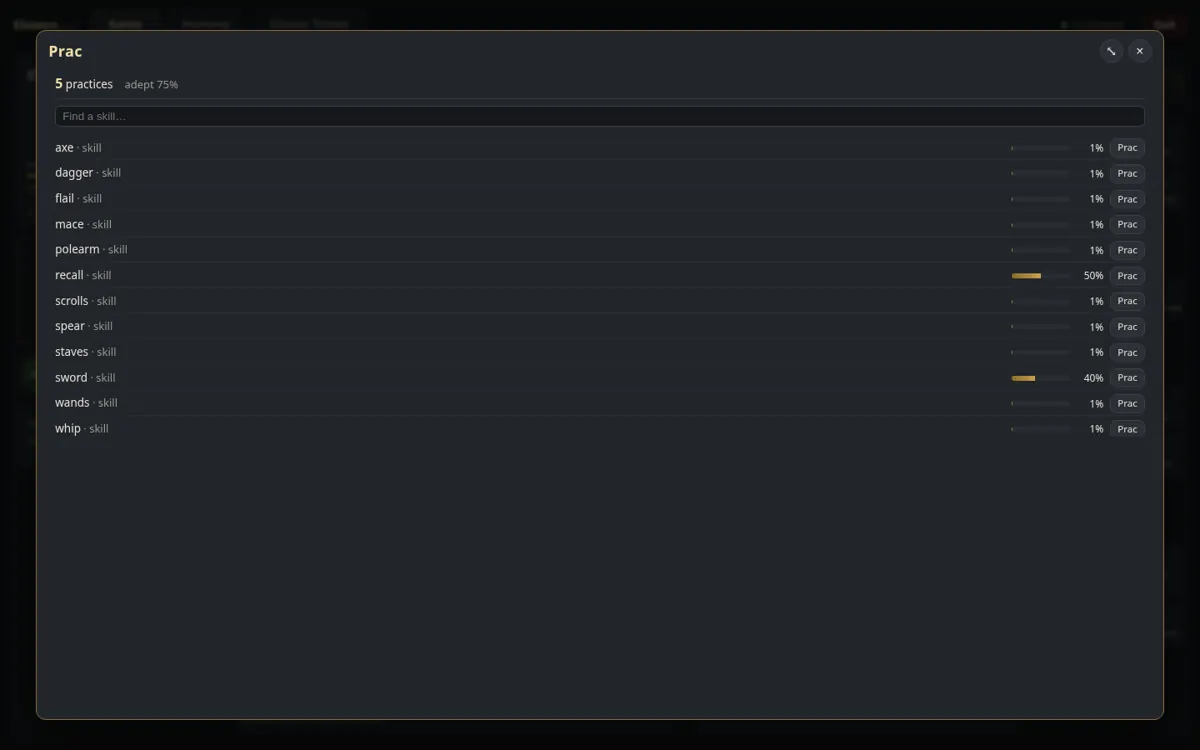
Go north (click the N on the picture) into the Hall of Graduates. You begin with 3 trains and 5 practices; the green numbers on the Train and Prac squares count them.
- West, in Furey's Training Room, open the Train square and raise your attributes. A warrior wants strength and constitution; wisdom gives everyone more practices at each level.
- Back east, then east again into Zump's Guild Room: open Prac and practise your weapon first (sword, mace…), then parry or dodge.
Each new level brings more trains and practices: come back here, or find any trainer and guildmaster of the realm.
Put your gear on
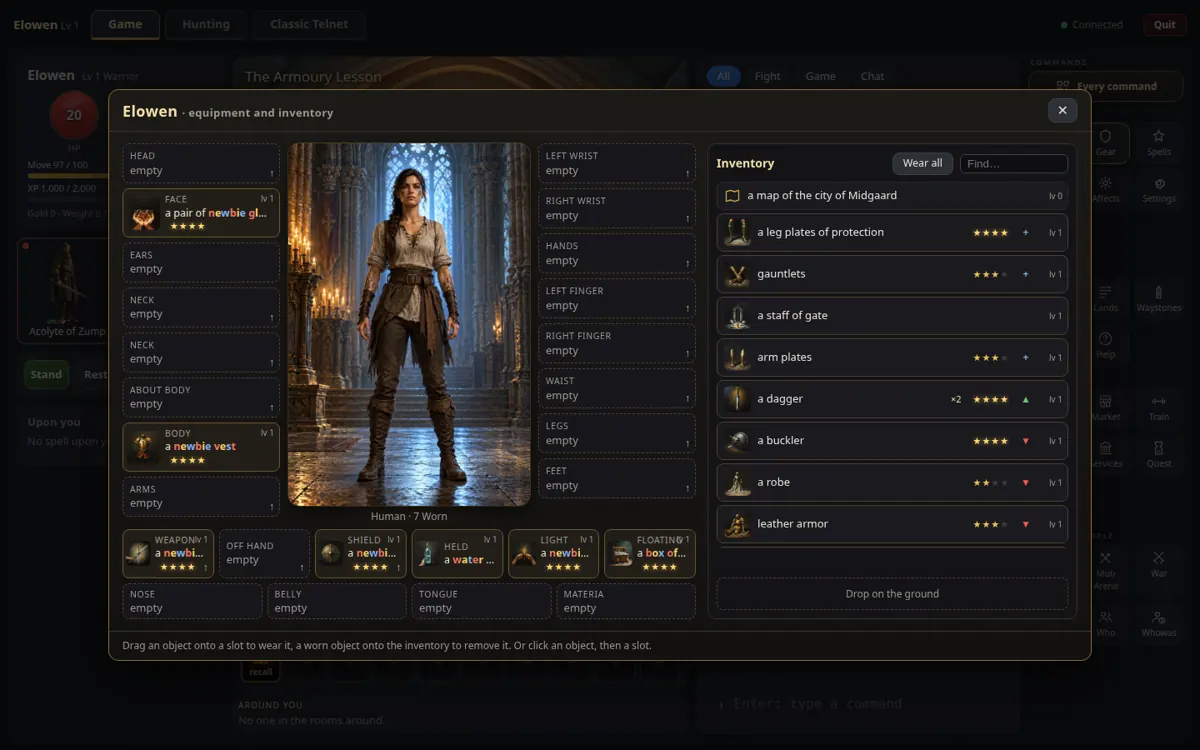
From the Hall, north is the Armoury lesson. Open the Gear square: your hero in the middle, the slots around, your bag on the right. Click Wear all and everything you can wear goes on.
You start with a vest, a shield and your weapon; the monsters of the school carry the rest of a full newbie set. Drag an object onto a slot to wear it, or click it for everything it can do.
Find your way
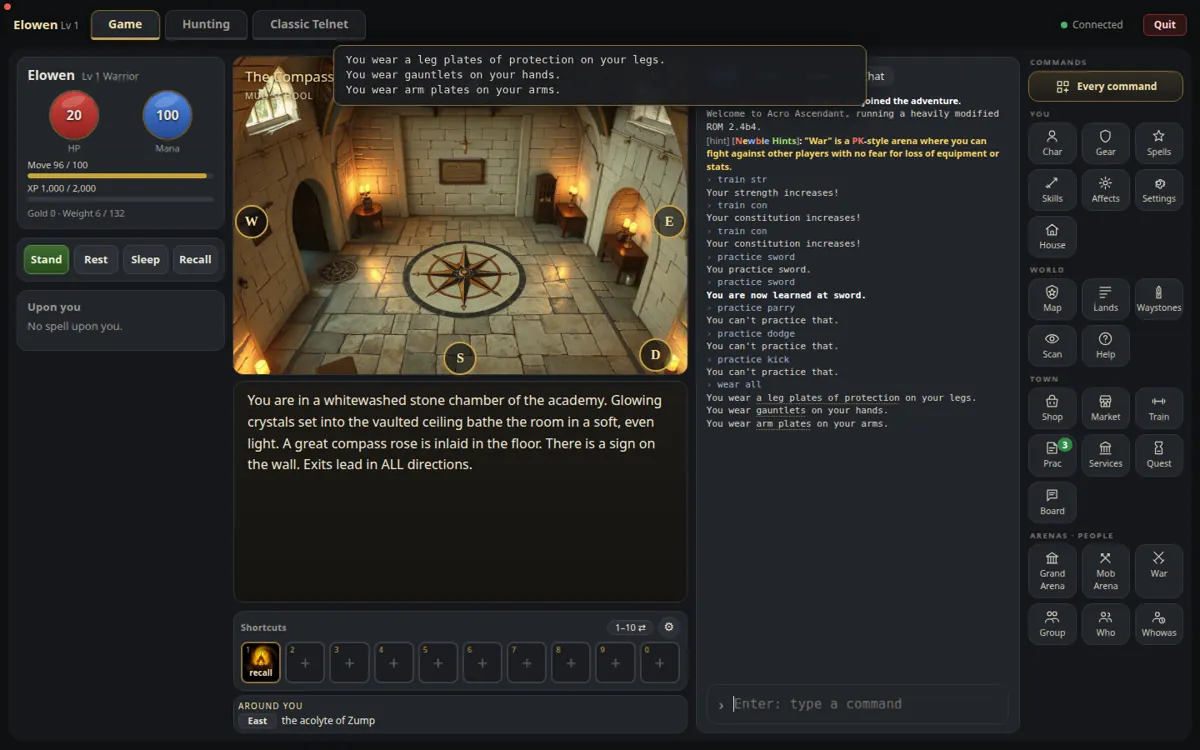
West of the Armoury, the Compass Room has a way out in every direction. The round letters on the picture (N E S W, and U D for up and down) are the exits: click one to walk.
Under the shortcuts, Around you tells by itself who stands in the rooms next door. The Map square shows the land you are in.
Choose your fights
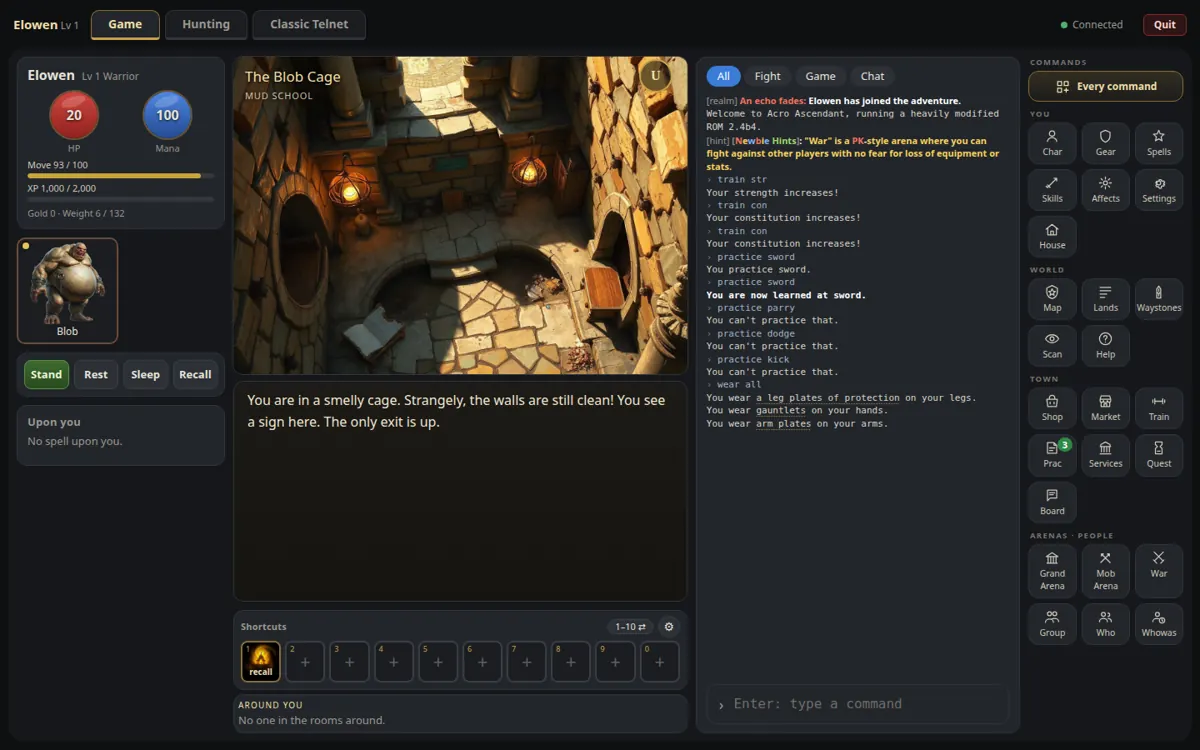
North again, the Combat Yard, and down to the Blob Cage. Look at the small round dot on each creature's square:
- blue or green: an easy kill
- yellow: a fair fight
- orange or red: run!
The blob is too strong for you but harmless: it is here to teach you to Flee. Click a creature to read its verdict (the consider command).
Your first fights
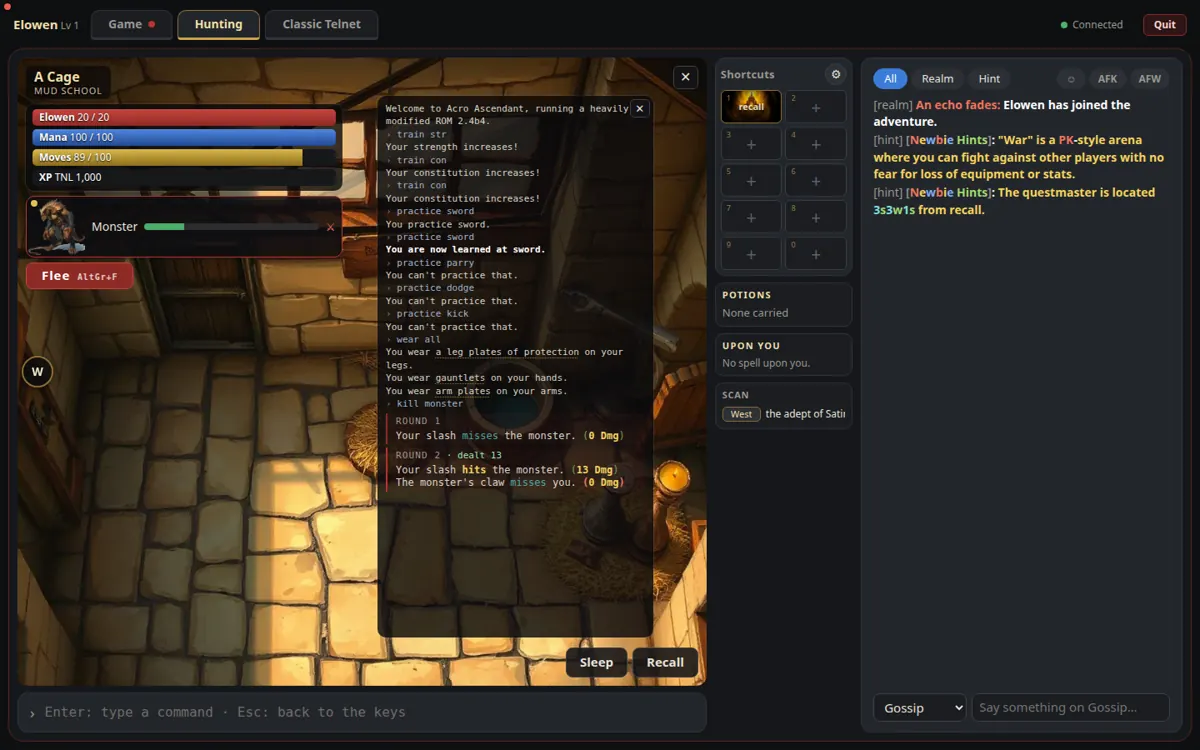
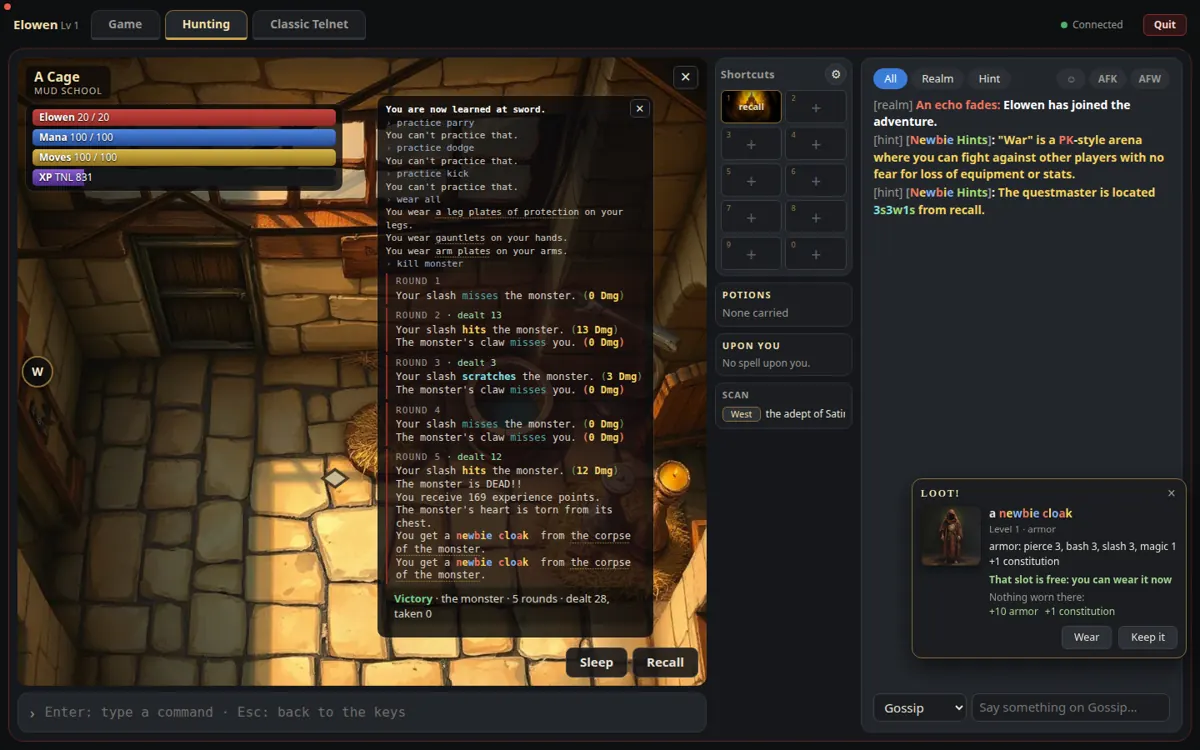
West, then down: the Cage Room, with a monster in each of its four cages. Walk into a cage, click the monster and Attack (or type kill monster).
The hunting screen opens: your hit points, mana, moves and experience on the left, your foe and the fight round by round. If your red bar runs low, Flee (AltGr+F). When it is over, the corpse's gear comes to you by itself (auto loot), and the loot window offers to wear it.
Kill all four: they carry pieces of your newbie set. Then the Wear all of the Gear window.
Rest and heal
After a fight, click Rest or Sleep under your portrait: hit points, mana and moves come back much faster. Stand when you are ready. Sleep is the fastest, but you see nothing while you sleep.
Out of moves? Walking tires you too. Rest a moment, and the yellow bar fills again.
Food and light
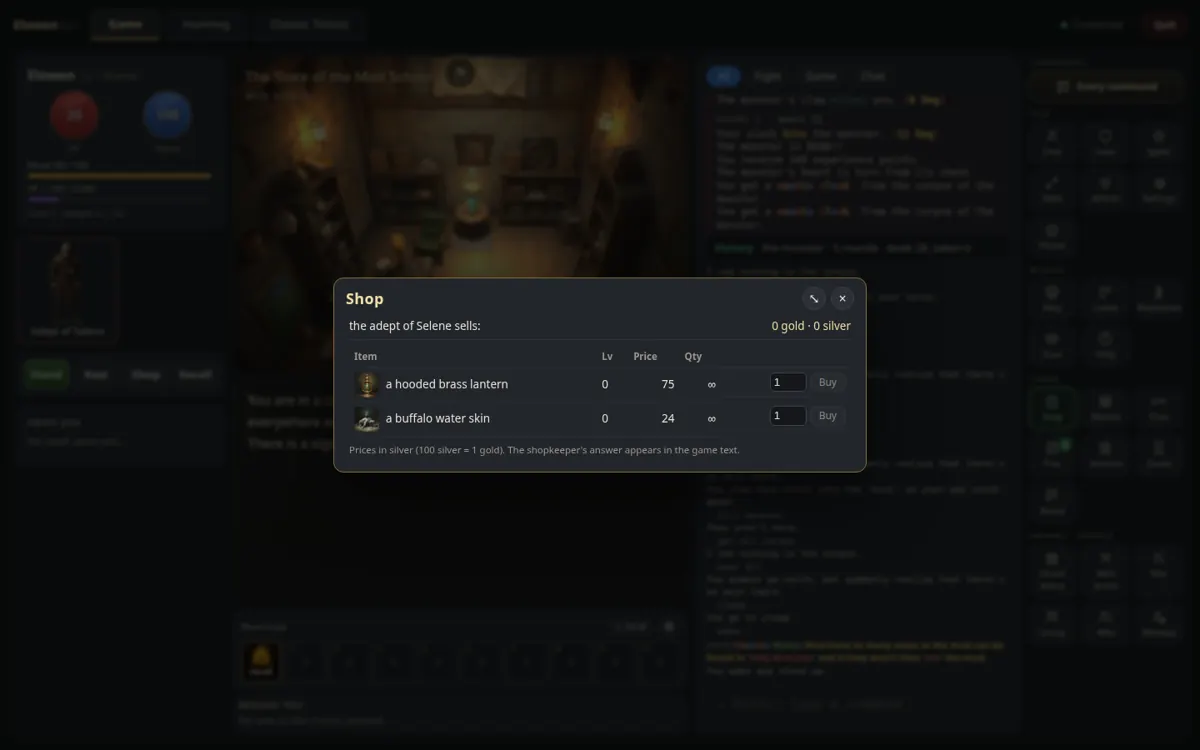
From the Cage Room, down to the Provisioner's Hall, then south into the Store of the Mud School. Open the Shop square: a water skin and a lantern. You will need the light for the Darkened Room further on.
Thirsty? Drink from the Gear window (or drink skin); hungry, the bakery of Midgaard has bread. The fountain of the Temple Square in Midgaard is free.
Graduation and the arena
East of the store, the Lantern Hall leads to the last lessons, then the arena:
| Where | Creature | Level |
|---|---|---|
| The four cages | the monsters | 1 |
| The Darkened Room (bring a light) | the big creature | 2 |
| The Hall of Graduation | the diploma beast: take your diploma… if you can | 3 |
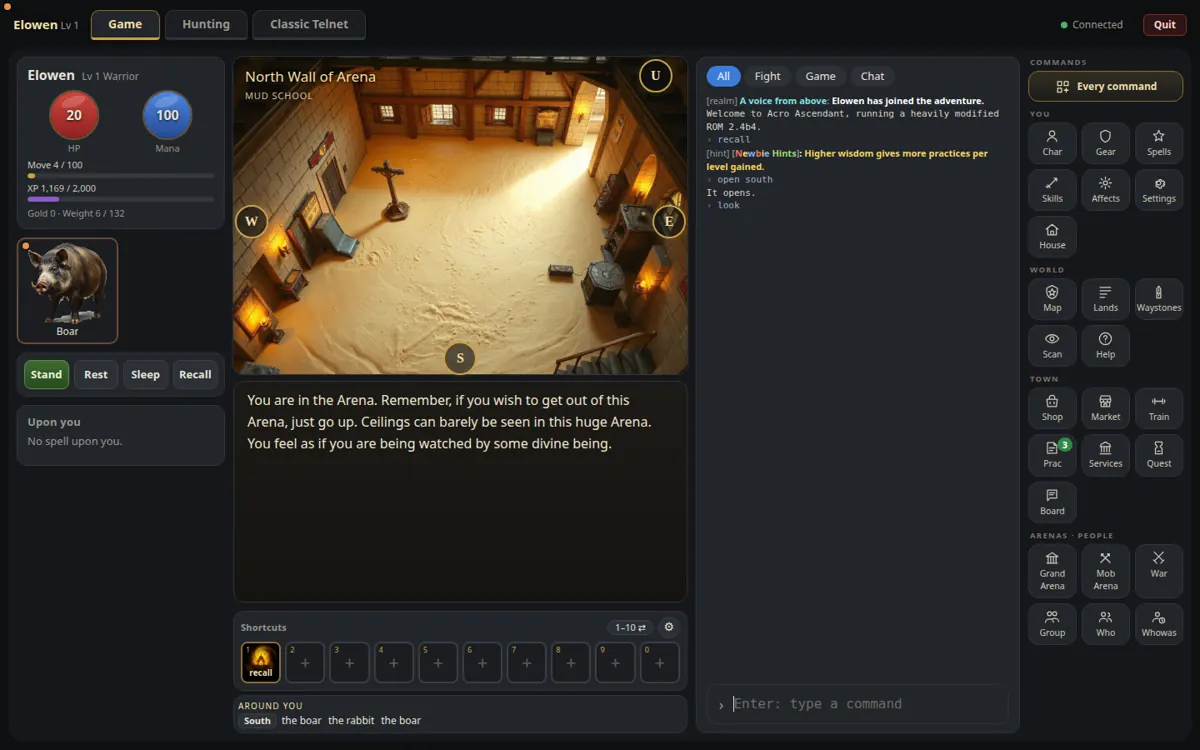
| The arena (south of the entrance; type open south) | rabbit, fox, lizard, boar | 1 to 3 |
| The dungeon (down from the centre of the arena) | wolf, bear, and the beast | 4 to 5 |
The monsters carry a little silver too. The doors of the Mud School close behind you once you pass level 5: make the most of it! A safe room above the arena takes you back to the temple of Midgaard.
Midgaard, levels 3 to 5
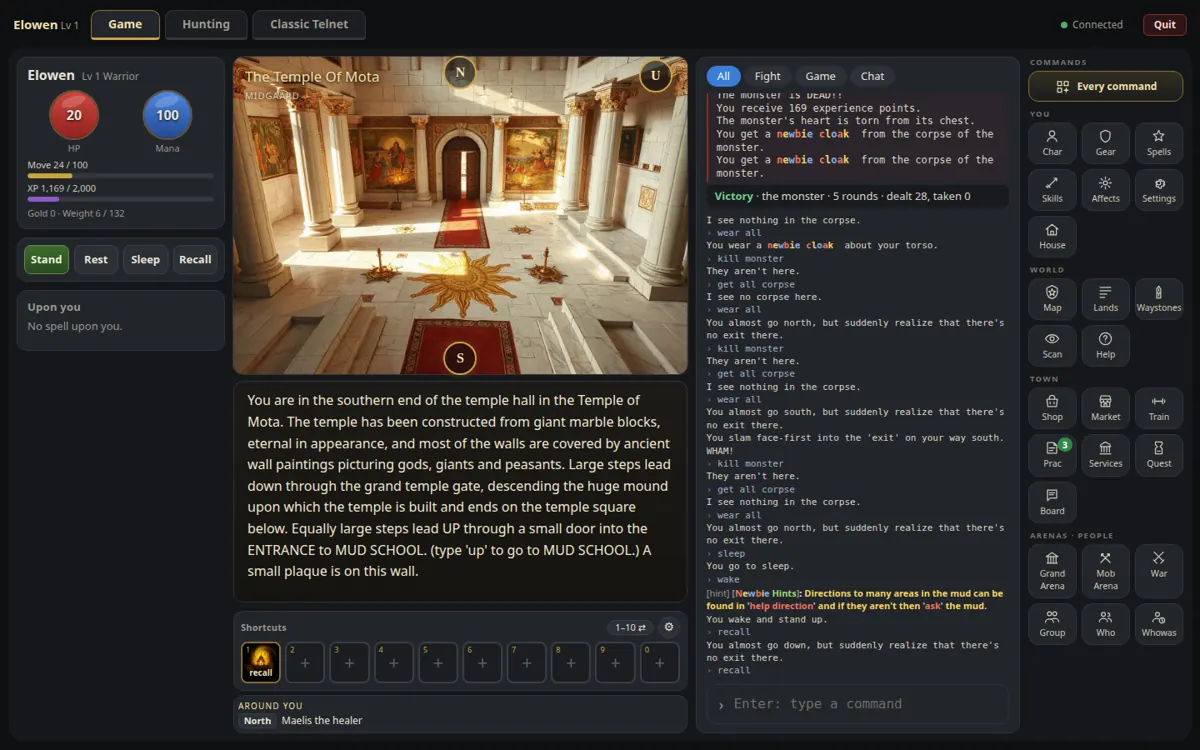
The Recall button takes you to the Temple of Mota, in Midgaard, the capital. Around it, a few easy marks for a young hero, with silver in their pockets:
- The janitor (level 1), at the entrance of the Grunting Boar Inn: south, east.
- The drunk (level 2), in the Grunting Boar: south, east, east. The best purse of the town for a beginner.
- The vagabond (level 5), in the Dark Alley: south, south, south, east.
Leave the cityguards (level 15) and Hassan alone: their dot is red for a reason. Hurt? Maelis the healer, by the Temple Altar just north of the temple, mends wounds.
Spend your silver
From the temple (the letters are the ways: s = south, e = east…):
| Shop | What for you | The way |
|---|---|---|
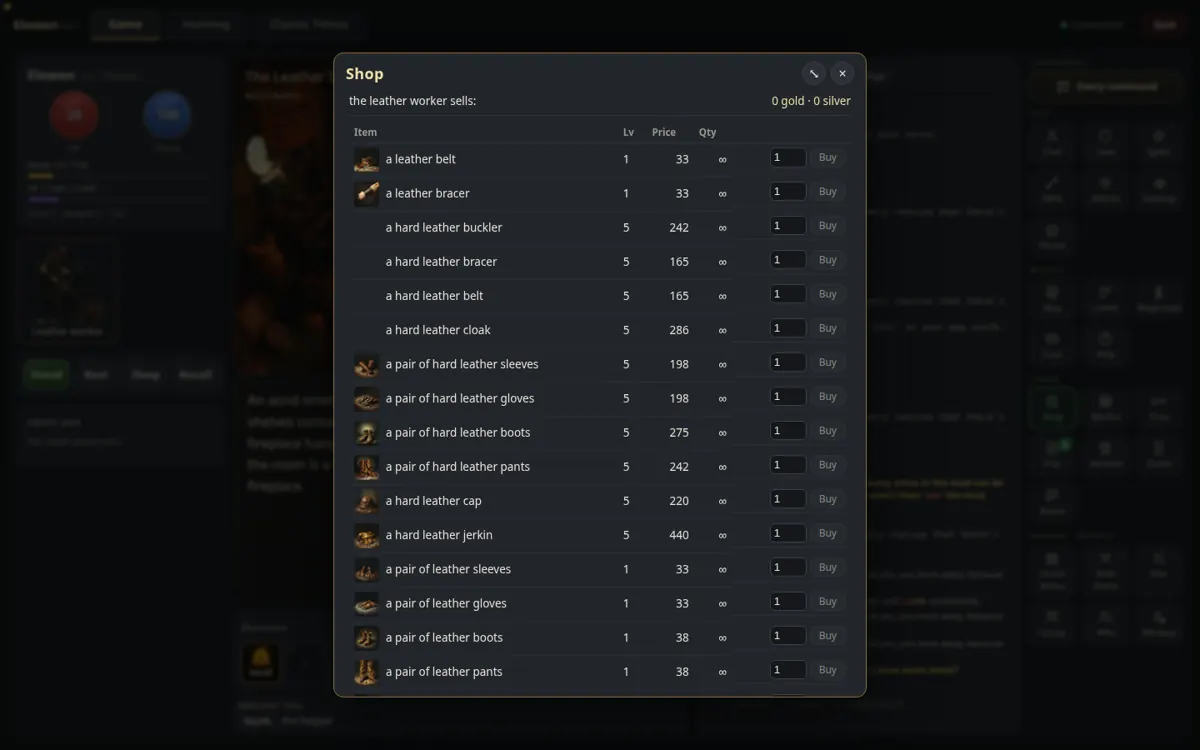
| The leather worker | Leather for a few dozen silver; the hard leather set (level 5), better than the school's | s s s w w n |
| The weaponsmith | Weapons of level 5, better than the newbie ones | s s e e n |
| The armourer | Scale mail (level 8), chain mail (level 10), shields | s s w s |
| The jeweller | Copper, silver and gold rings and amulets (levels 5 to 10) | s s e s |
| The magic shop | Scrolls, potions, a wand, the bracelet of protection | s s w w n |
| The bakery · the general store | Bread · provisions for the road | s s w n · s s e n |
Prices are in silver (100 silver make a gold coin). The Market sells what other players found, and the Equipment page shows every piece of the realm.
Level 5: the world opens
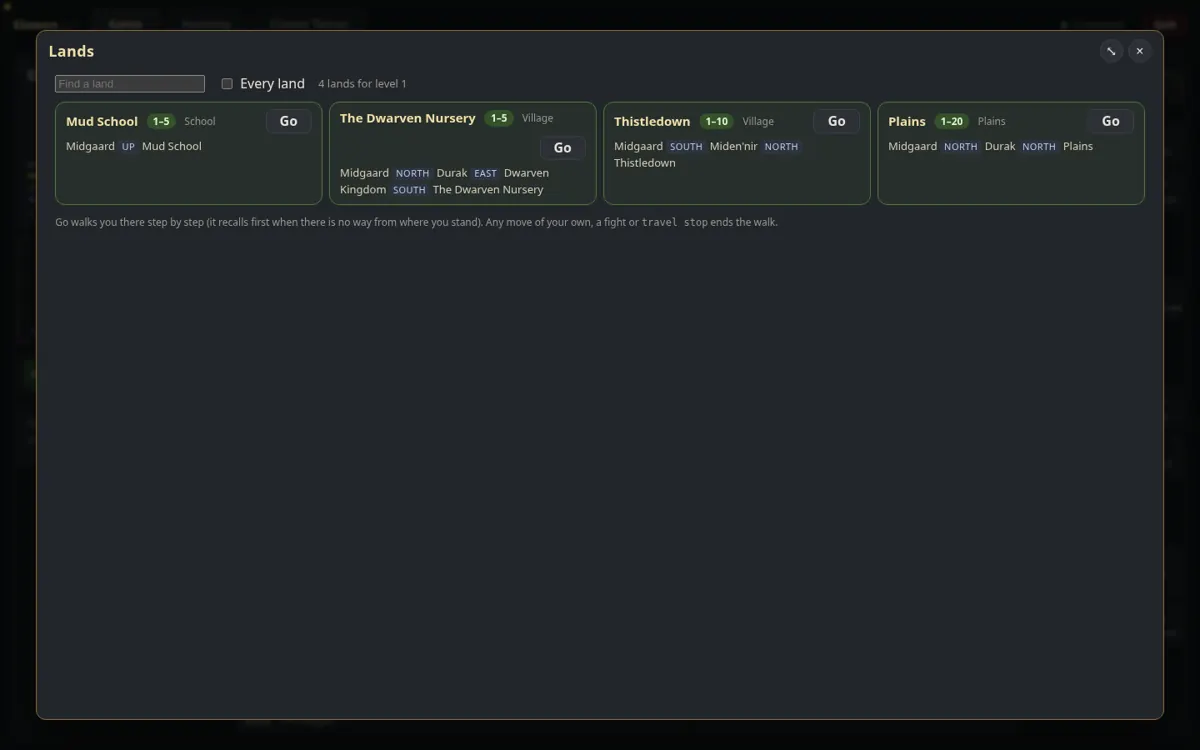
Open the Lands square: it lists the lands for your level, the way there, and a Go button that walks you to them. Good first lands:
- Thistledown and the Dwarven Nursery, levels 1 to 5;
- the Plains of the North, then the Graveyard, Haon Dor and Miden'nir, levels 5 to 10.
Then quests for quest points, the waystones to travel fast, the Mob Arena, a clan, and one day a house of your own.
Lost? Ask!
Players of Acropolis Ascendant like to help. Ask on the question or gossip channel (the box under the messages), read the game screen guide and the list of commands, or type help followed by any word in the game.